Brello Super Intelligence ·
by Stuvio · In development

Ready

Private AI that starts on your device.

Brello is a research and product effort by Stuvio. Brello 1.0, our app for Android and iPhone, already runs complete language models on the phone, with no account and no Brello server. Brello Super Intelligence (Brello SI), in development, is being designed to take on harder work without giving that up: device first, then sealed compute that your device must verify before anything is sent.Brello 1.0, for Android and iPhone, runs complete language models on the phone, with no account and no Brello server. Brello SI, in development, is being designed to work on your device first.

Brello 1.0 runs its AI entirely on the phone. See how it works

Press and hold the orbTouch and hold the orb

Our mission

Our mission is to build capable intelligence that answers only to the person using it, with privacy that can be verified rather than promised.

Using a capable assistant usually means sending questions, photos and answers to someone else’s computers, where a policy decides what is kept. We treat privacy as an engineering constraint instead.

Brello 1.0 runs its AI entirely on the phone. Brello SI is being designed so that work done off the device is not retained, and can be checked by independent researchers. Read the Brello Charter, version 1.0

Operating principles

Three principles: privacy, evaluation, no advertising.

Each principle is written into the Brello Charter as a commitment, with a scope and a way to check it. The figures show what each one means in practice.

Where a Brello 1.0 chat is processed and stored Inside the phone, a question goes to the on-device model, which writes the answer. The chat is saved to one file, conversations.json, in Brello’s private app storage. On Android, cloud backup and transfer to a new phone are both excluded. On this phone Why is the sky blue? On-device model Blue scatters most. conversations.json Cloud backup New phone Excluded Excluded On this phone Why is the sky blue? On-device model Blue scatters most. conversations.json Cloud backup New phone Excluded Excluded
  1. The model runs on the phone. Brello 1.0 answers with LiteRT-LM on the phone’s GPU, or its CPU, so a question never goes to a cloud model.
  2. The chat is saved in one private file. Questions, answers and reasoning go into conversations.json, in Brello’s own app storage.
  3. Backups and transfers are excluded. On Android, cloud backup and moves to a new phone skip Brello’s data, so a reset phone loses its chats.
Figure 1Where a Brello 1.0 chat is processed and stored. The question and answer are illustrative.
01

Privacy as architecture

We build privacy into where the work runs, not into a policy that can be rewritten. Brello 1.0 processes and stores every chat on the phone, and Brello SI is being designed to work on your device first.

How Brello handles your questions, photos and answers
The release gate intended for Brello SI The planned release gate for Brello SI. Release criteria are to be written before testing, the new capability is then to be tested for failure and misuse, and it will be released only if it meets the criteria, with a summary of the evaluation published alongside. Planned · Brello SI Criteria set first Tests failure, misuse Release if it passes Evaluation summary tests · method · findings · failures Published Planned · Brello SI Criteria set first Tests failure, misuse Release if it passes Evaluation summary tests · method findings · failures Published
  1. Release criteria will be fixed first. We intend to set them before testing begins, so a result can’t move the bar after the fact.
  2. The capability will be tested for failure and misuse. We intend to find how it could go wrong before anyone outside the team uses it.
  3. It will ship only if it meets the criteria. A summary of what we tested, how, what we found and what still fails will be published with it.
Figure 2The release gate we intend for Brello SI, from Charter v1.0, commitment 04. Brello 1.0 predates the charter and has no published evaluation.
02

Evaluation before capability

We will not release a new capability we haven’t evaluated. For Brello SI, we intend to fix the release criteria before testing, and to publish an evaluation summary with each release.

Read ‘Evaluate first, then ship’
Every server Brello 1.0 contacts, and what each receives The Brello app on the phone contacts Hugging Face for a one-time model download and, when web search is used, a search engine for the search text and up to four websites for their pages. It sends nothing to Stuvio, and chats stay on the phone. This phone Brello Your chats Stays here Hugging Face model file, once Search engine search text only Websites up to 4 pages Stuvio receives nothing This phone Brello Your chats Stays here Hugging Face model file, once Search engine search text only Websites up to 4 pages Stuvio receives nothing
  1. Three kinds of request leave the phone. A one-time model download and, with web search on or approved, the search text and up to four page requests.
  2. None of them goes to us. Brello 1.0 has no account, and contains no analytics, crash-reporting or advertising software.
  3. Your chats never reach Stuvio. There is nothing for us to profile or train on, and the charter commits Brello SI to the same.
Figure 3Every server Brello 1.0 contacts, and what each receives. Search engines and websites see a normal web request, including your IP address.
03

No advertising, profiling or training on conversations

Brello works for the person using it. We will not run advertising, build profiles or train models on your conversations, and Brello 1.0 has no account to attach a profile to.

Read the eight commitments in the charter

Brello 1.0 · Android and iPhone

Brello 1.0 runs its AI entirely on the phone.

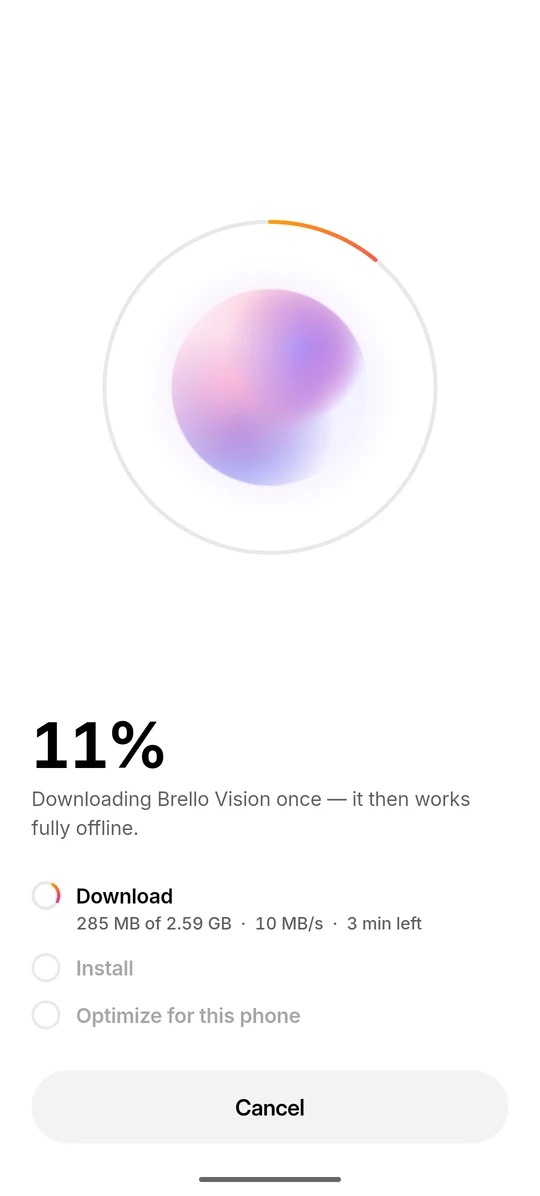
It downloads one model once, between 977 MB and 3.66 GB, then answers questions offline on the phone’s own chip, and Brello Pro and Brello Vision understand photos offline too. There is no account and no Brello server. Web search is optional, off by default, and runs directly from the phone.

Version 1.0.0, 4 October 2026, for iPhone and for 64-bit ARM (arm64-v8a) Android phones running Android 8.0 or newer. On Google Play and the App Store. Read the Brello 1.0 overview

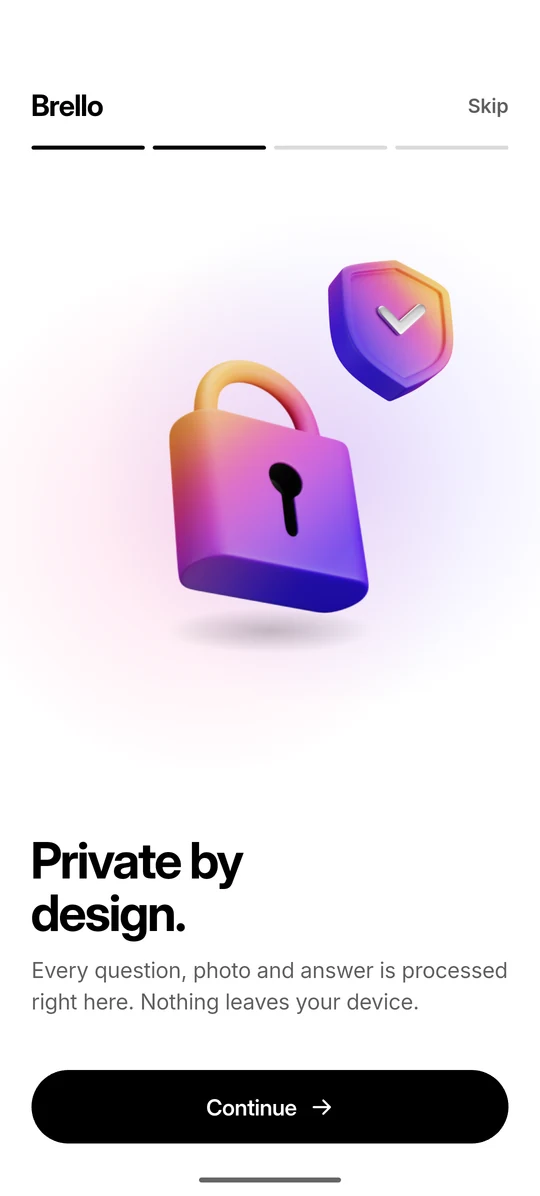
Brello 1.0 onboarding screen titled ‘Private by design.’, explaining that every question, photo and answer is processed on the phone.
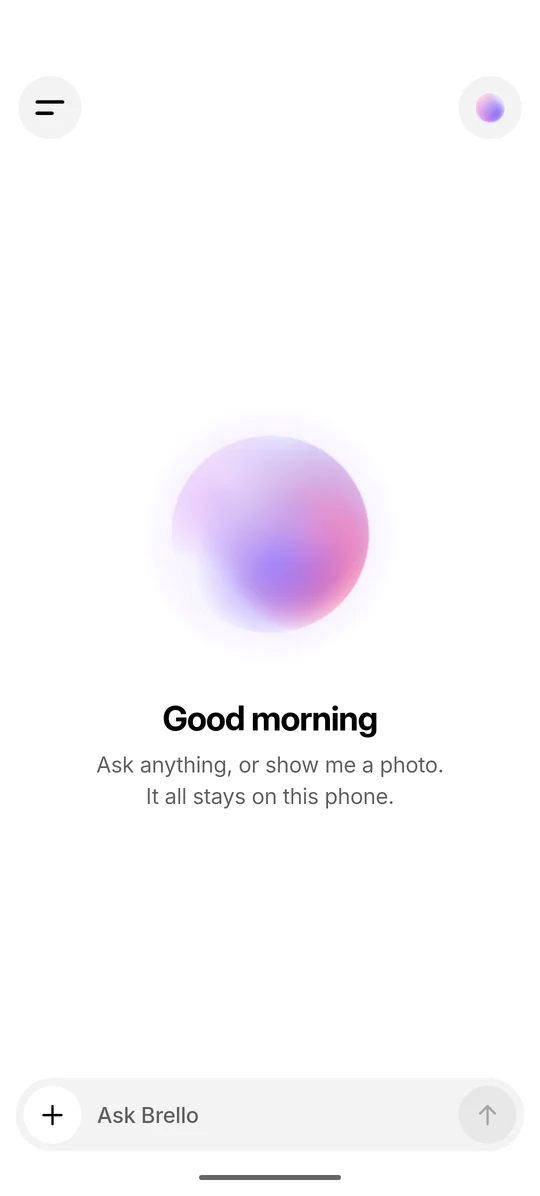
The Brello 1.0 home screen: the orb, the greeting ‘Good morning’ and the ‘Ask Brello’ composer.
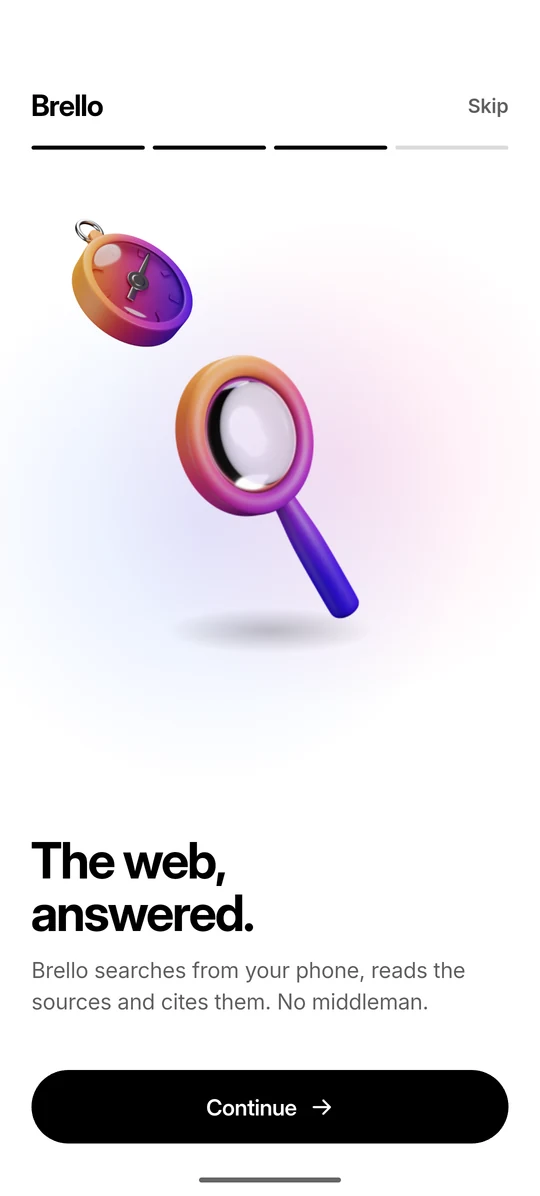
Brello 1.0 onboarding screen about web answers: Brello searches from the phone, reads the sources and cites them.
Three screens from Brello 1.0 running on an Android phone.
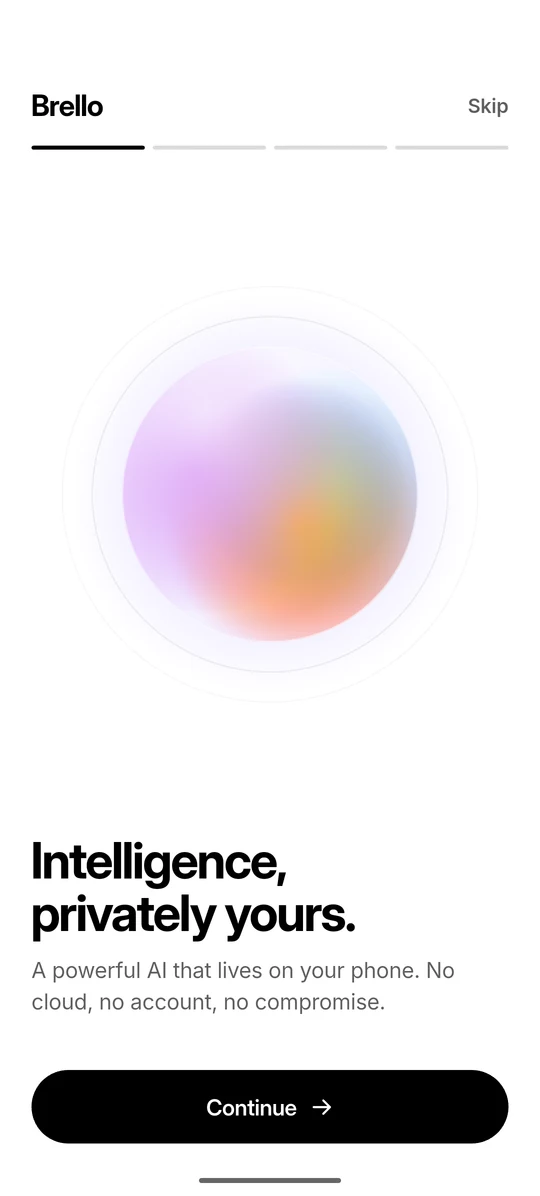
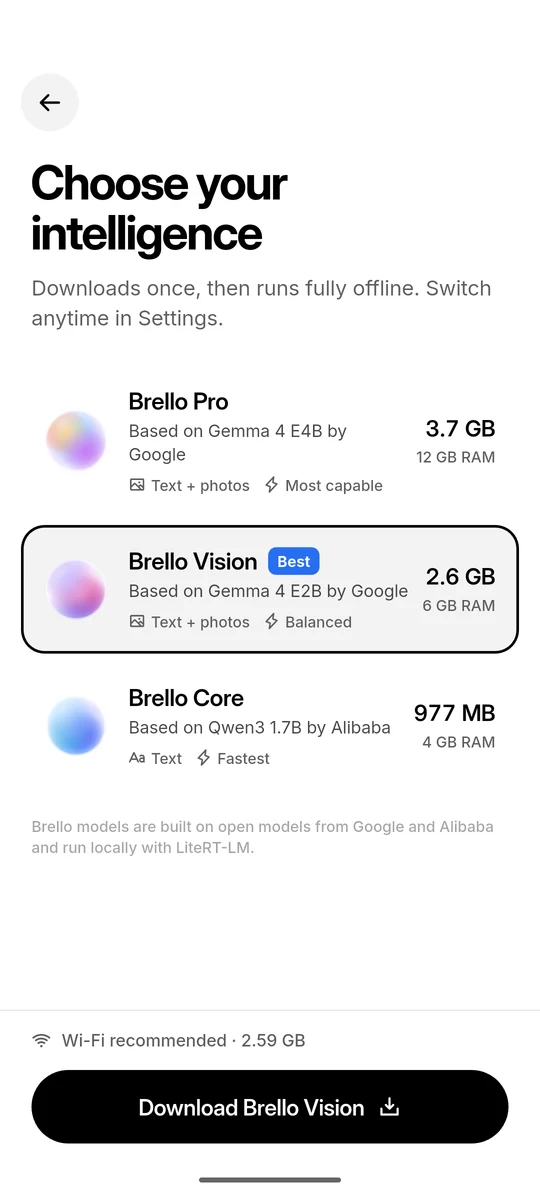
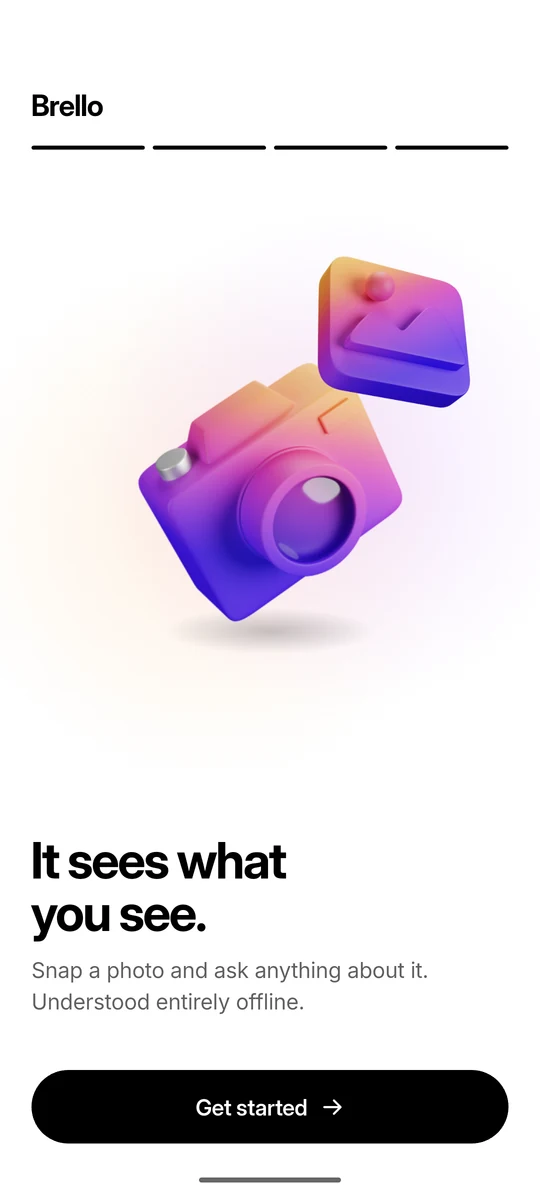
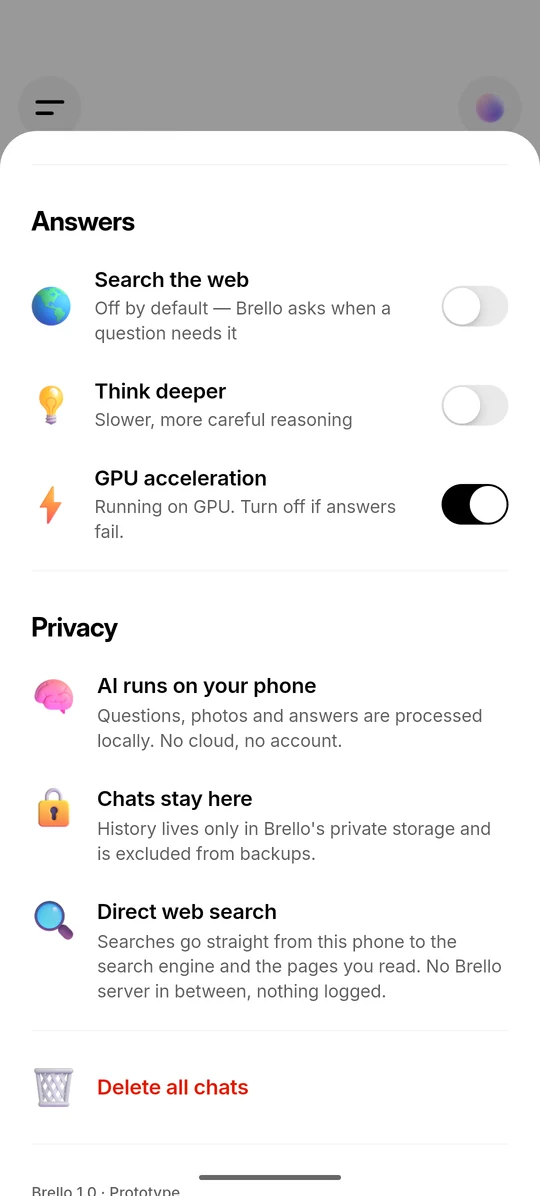
The first Brello 1.0 onboarding screen, titled ‘Intelligence, privately yours.’ Downloading Brello Vision: a progress ring around the orb, with Download, Install and ‘Optimize for this phone’ steps. The model picker: Brello Pro, Brello Vision marked ‘Best’ and Brello Core, each with its download size and recommended memory. Brello 1.0 onboarding screen about photos: take a photo and ask about it, understood on the phone. Brello 1.0 settings, stating that the AI runs on the phone, chats stay on it and web search is direct.
  1. On-device

    A language model on the phone’s chip

    Brello 1.0 runs a complete language model through Google’s LiteRT-LM runtime. Your questions, photos and answers are processed on the phone, with no cloud AI and no account.

  2. 977 MB to 3.66 GB

    One download, then offline

    Each model downloads once from Hugging Face, with no account or token. After that, chat and photo understanding work in airplane mode. Wi-Fi is recommended for the download.

  3. 0.9 × recommended RAM

    Recommended by memory

    Brello reads the phone’s total memory, allows 10% for what phones report, and recommends the most capable model that fits. It checks free storage before downloading.

  4. GPU, CPU fallback

    Streaming on the GPU, with CPU fallback

    Answers stream as the model writes them, on the phone’s GPU where it can and otherwise on the CPU. A model’s first launch takes up to a minute while it optimises for the chip.

    Recreated screen Illustrative question and answer

  5. Off by default

    Asks before searching

    When a question needs fresh facts and web search is off, Brello shows “Search the web for this?” and waits. If you agree, the phone searches directly and cites its sources as [1], [2].

    Recreated screen Card text as in the app Illustrative question

  6. Brello Pro · Brello Vision

    Photos understood offline

    Brello Pro and Brello Vision understand photos entirely on the phone, one photo per message. A message with a photo never triggers a web search.

  7. Excluded from backups

    Chats excluded from backups

    Chats live in one file in Brello’s private storage. On Android they are excluded from cloud backups and device transfers. There is no sync or export, so a reset phone loses them.
Brello 1.0 · How a reply is made

From question to cited answer, on the phone.

Five steps run between a question and an answer. Only the search step contacts other computers, and only when web search is on or you approve it: the phone sends the search text to a search engine and fetches up to four result pages directly.

  1. 01
    You ask, by typing a question or adding a photo.
  2. 02
    Brello decides whether it needs the web. Most questions don’t. If one clearly needs fresh facts and web search is off, it asks you first.
  3. 03
    If searching, the phone queries a search engine directly, opens up to four result pages and picks out the most relevant passages.
  4. 04
    The on-device model writes the answer, using those passages when there are any, and cites them as [1], [2].
  5. 05
    The chat is saved on the phone, and nowhere else.

Demo · A scripted recreation of the Brello 1.0 interface

Brello Vision

Good morning

Ask anything, or show me a photo.
It all stays on this phone.

Ask Brello

Brello 1.0 · On-device models

Three models, matched to phone memory.

Brello Pro and Brello Vision are based on Google’s Gemma 4 E4B and E2B, and Brello Core on Alibaba’s Qwen3 1.7B. All three are licensed under Apache 2.0, and Brello recommends the most capable one that fits the phone’s memory.

8 GB

Brello Vision needs a phone that reports at least 5.4 GB (0.9 × 6 GB). An 8 GB phone reports about 7.4 GB.

  • Brello Pro

    Based on Gemma 4 E4B by Google

    Text + photosMost capable

    3.66 GB

    12 GB RAM

  • Brello Vision

    Based on Gemma 4 E2B by Google

    Text + photosBalanced

    2.59 GB

    6 GB RAM

  • Brello Core

    Based on Qwen3 1.7B by Alibaba

    TextFastest

    977 MB

    4 GB RAM

  • Brello Super Intelligence

    In development: being designed for work beyond what a phone can hold

    In development

All three run locally with Google’s LiteRT-LM runtime and download from Hugging Face without an account. Brello is not affiliated with or endorsed by Google or Alibaba. Compare the three models

Brello 1.0 · Data flow

What stays on the phone, and what leaves when you choose.

Questions, photos, answers, reasoning and chat history are processed and stored only on the phone, and on Android are excluded from cloud backups and device transfers. Three things can leave: the one-time model download from Hugging Face, the search text sent directly to a search engine, and requests for up to four result pages. The search engine and those sites still see a normal web request, including your IP address.

Stays on the phone
WhatWhere it lives
Your questionsProcessed by the on-device model
Brello’s answersGenerated on the phone
Photos you attachCopied into Brello’s private app storage. A message with a photo never triggers a web search.
Chats and reasoningOne file, conversations.json, in Brello’s private app storage. With no sync or export, a reset phone loses them.
SettingsPrivate app preferences on the phone
Leaves the phone, when you choose
WhenWhat is sent, and to whom
Downloading a model, onceA standard file download request, to Hugging Face
Web search, if it is on or you approve itThe search text, a cleaned-up version of your question, sometimes with up to 10 words of the previous one. Search engines are tried in turn until one returns relevant results: DuckDuckGo, Bing, Brave Search, Google News or Wikipedia.
Reading the resultsOrdinary page requests for up to 4 result pages, to those websites
Tapping a sourceThe page opens in your browser

The search engine and these websites see a normal web request, including your IP address.

  • AccountNone. No sign-up or login.
  • SoftwareNo analytics, crash-reporting or advertising SDKs.
  • HeadersDo Not Track and Global Privacy Control sent with every search and page request.
  • Search browserWiped of cookies, cache and storage after 3 idle minutes.

Source: the Brello 1.0 system card. For the full account, read How Brello handles your questions, photos and answers.

Brello SI · Architecture ·
In development

Brello Super Intelligence is being designed in three layers.

Work is intended to run on your device whenever it can. When a task needs more, we intend to run it on hardware-isolated, stateless servers that your device must verify before it sends anything, and to reach the open web only on request. The device and open-web layers already exist in Brello 1.0, and sealed compute is in development.

  1. Layer 1In Brello 1.0

    Your device

    Work is intended to run here whenever it can. Brello 1.0 already works this way for every question, photo and chat.

    Leaves the deviceNothing

  2. Layer 2In development

    Sealed compute

    For tasks that need more, we intend to use hardware-isolated, stateless servers designed to keep nothing: no logs, no retention, no human access.

    Leaves the deviceThe task, only after the device has verified the server

  3. Layer 3In Brello 1.0

    The open web

    Fresh facts are intended to come from the web only when you allow it, then be read and cited on the device. Brello 1.0 works this way.

    Leaves the deviceThe search text, then up to four page requests

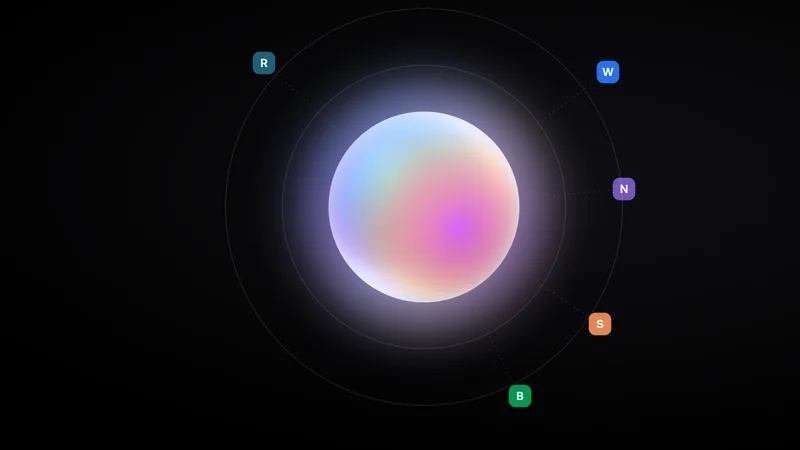
The three layers Brello Super Intelligence is being designed with Three concentric rings. At the centre is your device, where work is intended to run whenever it can. Around it is sealed compute, which is in development: the device is being designed to check a server’s attestation before sending it a task, and the server to keep nothing. On the outside is the open web, which works as in Brello 1.0: only the search text goes to a search engine, and up to four pages are fetched directly and cited on the device. The open web · In Brello 1.0 Sealed compute · In development Your device · In Brello 1.0 Verified Stateless W S B N Search text [1] [2] [3] [4] The three layers Brello Super Intelligence is being designed with Three nested areas. Innermost is your device, where work is intended to run whenever it can; it works this way in Brello 1.0. Around it is sealed compute, which is in development: the device is being designed to check a sealed server’s attestation before sending it a task, and the server to keep nothing. Outermost is the open web, which works as in Brello 1.0: only the search text goes to a search engine, and up to four pages are fetched directly and cited on the device. The open web In Brello 1.0 Sealed compute In development Your device In Brello 1.0 Verified Stateless W S B N [1] [2] [3] [4] The three layers Brello Super Intelligence is being designed with Three nested areas. Innermost is your device, where work is intended to run whenever it can; it works this way in Brello 1.0. Around it is sealed compute, which is in development: the device is being designed to check a sealed server’s attestation before sending it a task, and the server to keep nothing. Outermost is the open web, which works as in Brello 1.0: only the search text goes to a search engine, and up to four pages are fetched directly and cited on the device. The open web In Brello 1.0 Sealed compute In development Your device In Brello 1.0 Verified Stateless W S B N [1] [2] [3] [4]
  1. Work is intended to start on your device. Whenever a task fits on the device, Brello SI is being designed to run it there. Brello 1.0 already answers every question this way: the model runs on the phone, with no Brello server.
  2. We intend the device to check a server before sending anything. It is being designed to compare a sealed server’s attestation with a public transparency log, and to send nothing if the check fails.If the check fails, it will send nothing.
  3. The task is meant to run in isolation, with nothing kept. Sealed servers are being designed to be stateless, with no logs, no retention and no human access. None of this has been built or measured yet.
  4. The open web will be reached only on request. As in Brello 1.0, only the search text goes to a search engine, and up to four pages are fetched directly, then read and cited on the device.Brello 1.0 sends only the search text and up to four page requests.
Figure 4The architecture we intend for Brello Super Intelligence. The device and open-web layers work as described in Brello 1.0; sealed compute is in development. Sites shown are illustrative.

Charter v1.0, section 4We will publish a description of Brello Super Intelligence’s architecture, including what runs where and what each layer can and cannot see, before anyone outside the team uses it.

Safety commitments

Six commitments, made before release.

We don’t train on your conversations, we won’t run advertising, and we won’t ship a capability we haven’t evaluated. Actions that spend money, send a message or delete something will need your confirmation, and we intend independent researchers to be able to verify what runs and what it keeps.

Six of the eight commitments in the Brello Charter, version 1.0, each with its scope and how to check it.

  1. Not to train or fine-tune any model, to build a profile of you, or for anything but answering you. In Brello 1.0, conversations never reach us: they are processed and stored only on the phone.

    Scope
    Stuvio · Brello 1.0 · Brello SI
    Check
    The system card lists every network request Brello 1.0 makes; none goes to Stuvio.
    Charter v1.0, commitment 01
  2. Not in Brello, not on this website, and not as part of how Brello is paid for. We haven’t announced pricing.

    Scope
    Stuvio · Brello 1.0 · Brello SI · this website
    Check
    Brello 1.0 contains no advertising, analytics or crash-reporting software, and this website sets no cookies.
    Charter v1.0, commitment 02
  3. Release criteria will be written before testing begins. Each release will come with a summary of what we tested, how, what we found and what it still gets wrong. Brello 1.0 predates the charter and has no published evaluation.

    Scope
    Brello SI · new capabilities in any release
    Check
    The evaluation summary published with each release.
    Charter v1.0, commitment 04
  4. Brello SI is being designed to prepare such actions and not to complete them until you confirm. Brello 1.0 cannot spend money or send messages, and asks before it deletes all chats.

    Scope
    Brello SI
    Check
    The confirmation step will be described in the published architecture and tested before release.
    Charter v1.0, commitment 05
  5. Brello 1.0’s system prompt tells the model: “If you are not sure about something, say so instead of guessing.” Web answers cite each source inline. An instruction is not a guarantee, and a small model can still be wrong.

    Scope
    Brello 1.0 · Brello SI
    Check
    The system card quotes these instructions.
    Charter v1.0, commitment 06
  6. We are designing Brello SI so that researchers can check what runs, where it runs and what it keeps. We will publish what they need before anyone outside the team uses sealed compute.

    Scope
    Brello SI
    Check
    Private compute you can verify lists what we intend this to include, such as a public transparency log.
    Charter v1.0, commitment 08

Research areas

Six research areas behind private AI.

Efficient on-device inference, verifiable private compute, grounded answers, perception, personal context, and alignment and evaluation. Each area links to what we have published, and areas without a publication say so. Plain-language explainers on the background, from on-device AI to confidential computing, are in Learn.

R.01Brello 1.0

Efficient on-device inference

Running capable models within a phone’s memory, storage and battery.

Three models from 977 MB to 3.66 GB, on the GPU with CPU fallback.

R.02Brello SI

Verifiable private compute

How a device could check a server’s software before sending it work, and confirm that the server keeps nothing.

Design work only. Nothing has been built or measured.

R.04Brello 1.0

Perception

Understanding photos and what the camera sees, on the device first.

One photo per message, downscaled to at most 1280 × 1280 pixels and understood offline.

No publication yet.

R.05Brello SI

Personal context

Memory that carries across chats while you can see, correct, export and erase it.

Brello 1.0 has no memory across chats; each answer uses the last 6 messages of its chat.

No publication yet. See charter commitment 07.

Status · October 2026

From Brello 1.0 to Brello SI

  1. Brello 1.0, version 1.0.0

    Three on-device models, offline photo understanding and cited web answers, for Android and iPhone. On Google Play and the App Store.

    Brello 1.0: private intelligence, running on an Android phone
  2. Brello Super Intelligence, in development

    Announced with the Brello Charter, version 1.0, which sets out the commitments it is being built to.

    Introducing Brello Super Intelligence
  3. Next

    Brello SI opens

    A small group first, with our evaluations published alongside. We have not set a date.

    How we decide it is ready

Answers to common questions about Brello 1.0, Brello SI, privacy, models and phones are in the Brello FAQ.

Careers

Work with Brello Research.

We are a small team at Stuvio. If you work on reasoning, on-device inference, privacy engineering, safety evaluations or interface design, write to us, even if no role is listed.

Each link opens your email app with the subject filled in. Read about Stuvio and how we work.

Brello 1.0 · Android and iPhone

Intelligence that answers only to you.

Brello 1.0 is available now for Android and iPhone. It runs on your phone, with no account.

Google Play and the App Store